
Download ShareX – Free, Secure, Open-Source Screenshot & Screen Recording Tool for Windows, Mac, Android & iOS
Why ShareX Stands Out as the Best Free Screen Capture Software
When it comes to capturing and sharing screen content, most users settle for basic tools like the built-in Snipping Tool or third-party freemium apps. But for those who demand more—precision, customization, and powerful post-capture editing—ShareX emerges as the undisputed leader in the free software space. This open-source tool, developed by Jaex and Michael Delpach, offers a comprehensive suite of features that far exceed what most paid alternatives provide. Unlike cluttered or ad-ridden utilities, ShareX installs cleanly, without bundled software or hidden trackers, ensuring a secure and reliable experience from day one.
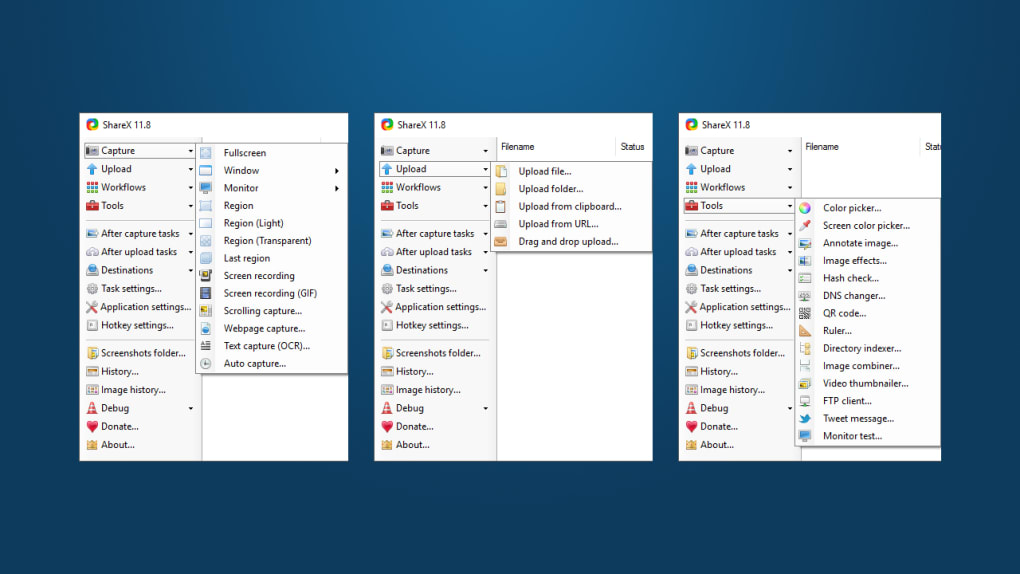
One of ShareX’s greatest strengths lies in its versatility. Whether you're capturing a full-screen view, a specific window, a custom region, or even a scrolling webpage, ShareX handles it all with precision. The tool also supports advanced screen recording modes, including high-quality video capture using FFmpeg, animated GIF creation, and scheduled auto-captures. What sets it apart is its seamless integration with cloud services and FTP, allowing users to automatically upload screenshots and videos to platforms like Imgur, Dropbox, or custom servers—perfect for remote teams, educators, or content creators.
Another standout feature is its built-in image and video editor. After capturing, you can annotate, crop, blur, add borders, apply filters, or even insert watermarks—all within the same interface. The on-screen ruler, color picker, and checksum tool add extra utility for designers and developers. With minimal impact on system performance and a clean tray icon presence, ShareX remains unobtrusive yet always ready. For anyone needing a robust, free, and secure way to capture, edit, and share visual content across Windows, Mac, Android, or iOS, ShareX is an essential download.
Powerful Features That Make ShareX a Must-Have Tool
ShareX isn’t just a screenshot tool—it’s a full-featured digital workspace for visual content. Here’s a breakdown of its standout features that elevate it above the competition:
- Multiple Capture Modes: Capture full screen, active window, custom region, scrolling windows, or entire web pages with a single hotkey.
- Screen Recording: Record video with audio using FFmpeg, create animated GIFs, or set up auto-captures at timed intervals.
- Advanced Editing Suite: Add text, arrows, shapes, blur effects, borders, and watermarks directly on your screenshots.
- Auto-Upload & Sharing: Instantly upload to Imgur, Dropbox, Google Drive, FTP, or custom URLs with customizable presets.
- On-Screen Tools: Use the color picker, on-screen ruler, checksum calculator, and photo combiner for enhanced productivity.
- Hotkey Customization: Assign unique keyboard shortcuts for every action, making workflows lightning-fast.
- Clipboard Integration: Save directly to clipboard or paste as plain text, image, or HTML.
- Open-Source & Secure: No ads, no telemetry, no bloat—just clean, transparent code.
These features aren’t just listed—they’re deeply integrated. For example, you can set up a hotkey to capture a scrolling screenshot, apply a watermark, resize the image, and upload it to your personal server—all in under 5 seconds. This level of automation is rare in free tools. Additionally, ShareX supports both image and video formats, including PNG, JPG, BMP, MP4, AVI, and GIF, making it ideal for tutorials, bug reports, social media content, and documentation.
For developers, IT professionals, and remote support teams, the ability to capture system errors with audio and auto-upload to a shared drive is a game-changer. Educators can create step-by-step guides with annotated screenshots and share them instantly with students. Content creators benefit from the GIF recording and real-time video compression, allowing them to produce engaging social media clips without switching apps.
Easy Installation & Simple Usage for All Skill Levels
Getting started with ShareX is straightforward, even for beginners. You can download ShareX for free from its official GitHub repository or trusted software sites. The installer is lightweight and installs in seconds. Once installed, the app runs silently in the system tray—no intrusive popups or startup delays.
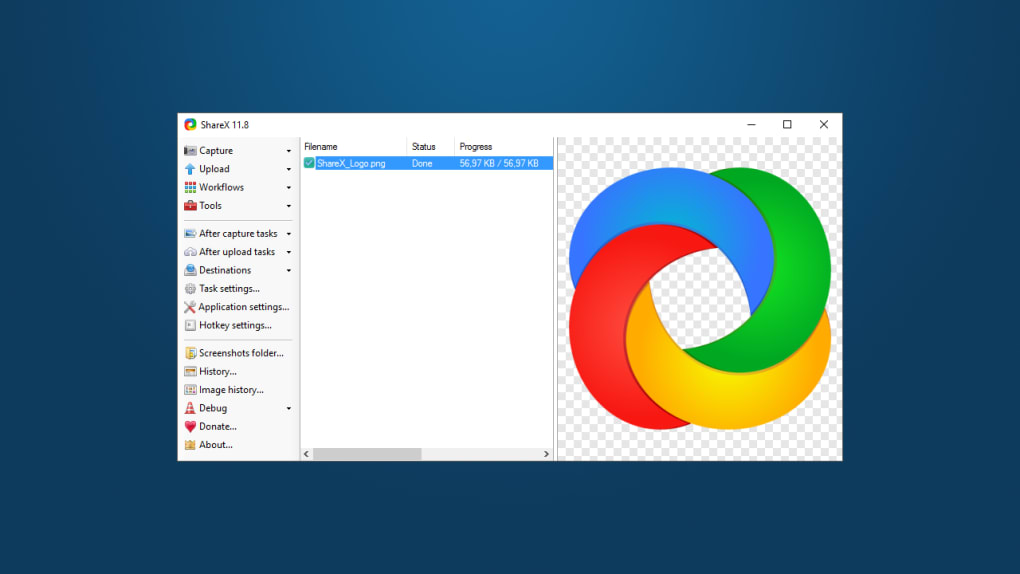
Upon first launch, ShareX guides you through a quick setup wizard where you can configure default capture settings, hotkeys, and upload destinations. You can choose to enable auto-upload to Imgur, set up a custom FTP server, or keep files local. The interface is clean and intuitive, with a central dashboard that lets you manage all your capture profiles.
To capture a screenshot, simply press your assigned hotkey (default is PrtSc). You’ll see a crosshair cursor; select your desired area, and the capture appears in the editor. From there, you can edit, annotate, and choose your output method—save to disk, copy to clipboard, email, print, or upload. For screen recording, click the “Record” button, select your region and audio source, and start capturing. The recording time is displayed in the corner, and you can stop or pause at any time.
Advanced users can dive into the settings to create custom profiles, use scripting, or integrate with external tools like PowerShell or batch files. ShareX also supports plugins, allowing you to extend its functionality further. Whether you’re a novice or a power user, ShareX adapts to your workflow—no learning curve required.
Pros & Cons of ShareX – Is It Right for You?
Pros
- Completely free and open-source with no hidden costs
- Lightweight and secure with no bloatware or ads
- Supports advanced capture types: scrolling, GIF, video, auto-capture
- Rich editing tools built-in (annotations, filters, watermarks)
- Automated uploads to cloud services and FTP
- Highly customizable hotkeys and workflows
- Available for Windows, Mac, Android, and iOS (via compatible apps)
Cons
- Interface can feel overwhelming for absolute beginners
- Advanced features require some configuration
- Android and iOS versions are limited compared to desktop
- FFmpeg dependency may require manual setup on some systems
- Less intuitive for users unfamiliar with screenshot tools
FAQ: Common Questions About ShareX
Can ShareX record video with audio?
Yes, ShareX can record video with audio using the FFmpeg-based screen recording feature. Make sure your microphone is connected and properly configured in the system audio settings for the best results.
Is ShareX safe to download and use?
Absolutely. ShareX is open-source and available on GitHub. All versions are signed and verified. There are no ads, malware, or telemetry. It’s one of the safest screenshot tools available.
Can I use ShareX on Mac and mobile devices?
Yes, ShareX has official support for Windows and Mac. For Android and iOS, third-party apps like "ShareX for Android" provide limited functionality, but the full experience is best on desktop.
How do I customize hotkeys in ShareX?
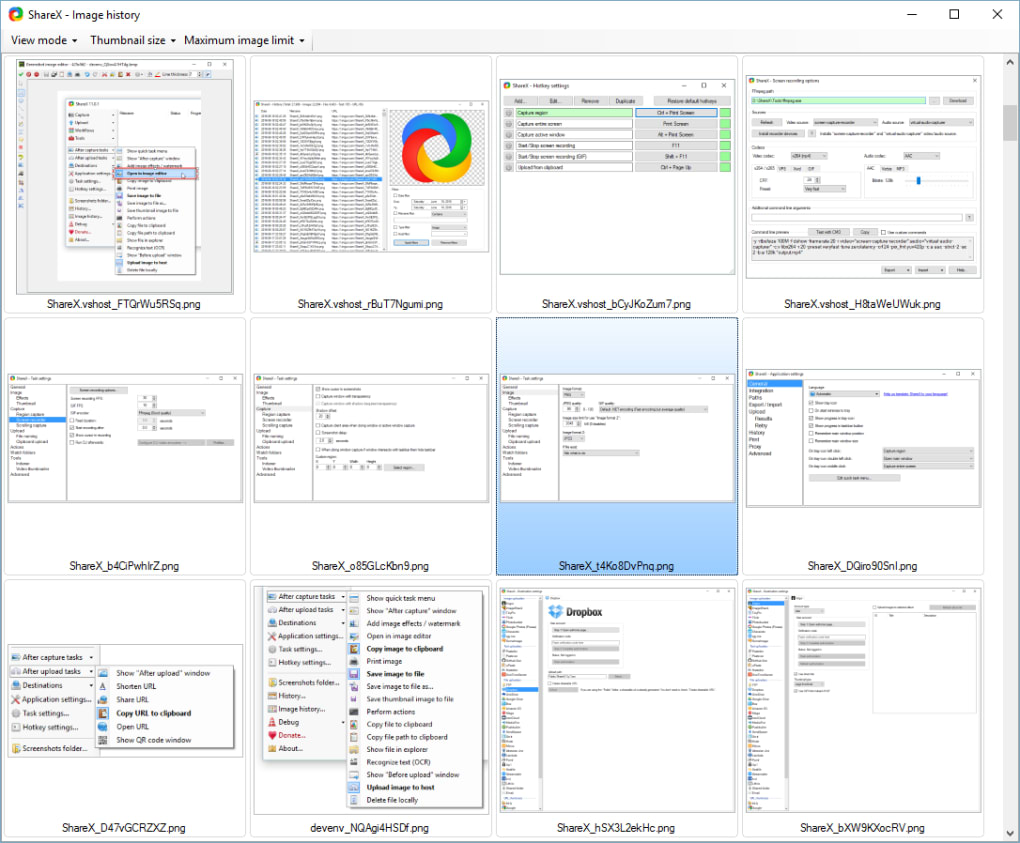
Go to Settings > Hotkeys, then assign a key combination for each action—capture, record, edit, upload, etc. You can also create custom profiles for different use cases.
Does ShareX support automatic uploads to cloud services?
Yes, ShareX supports automatic uploads to Imgur, Dropbox, Google Drive, FTP, and custom URLs. You can set up multiple destinations and choose which one to use per capture.
Final Verdict: Why You Should Download ShareX Today
If you’re looking for a powerful, free, and secure way to capture, edit, and share screenshots and screen recordings, ShareX is the ultimate choice. Whether you're a student, educator, content creator, developer, or IT professional, this tool delivers unmatched value. Its open-source nature ensures transparency, while its rich feature set makes it a superior alternative to paid software.
With seamless integration, customizable workflows, and support across multiple platforms, ShareX adapts to your needs—no matter how complex. The ability to auto-upload, edit on the fly, and automate repetitive tasks saves hours of manual work. And best of all? It’s completely free.
Don’t miss out on this essential tool. Download ShareX now and transform the way you capture and share visual content on your Windows, Mac, Android, or iOS device.







